URL Tracking: See When and Where AI Cites Any Page
Paste any page URL. See when and where AI cites it.
AI engines build their answers from specific pages: your blog posts, your comparison pages, the listicles that feature you, and your competitors' content. URL Tracking in Listable Labs lets you add any of those pages and follow it as a source across ChatGPT, Perplexity, Gemini, Google AI Mode and more.
Add the URL once. Listable Labs tracks it automatically from then on.
What URL Tracking actually is
URL Tracking follows a specific page across the AI answers to your tracked prompts. It shows whether the page is being cited, how often, in how many answers, on which AI platforms, and for which prompts.
It answers the question visibility scores can't: is this exact page doing its job in AI search?
No setup beyond the URL. Paste it, click Track URL, and the data starts filling in.
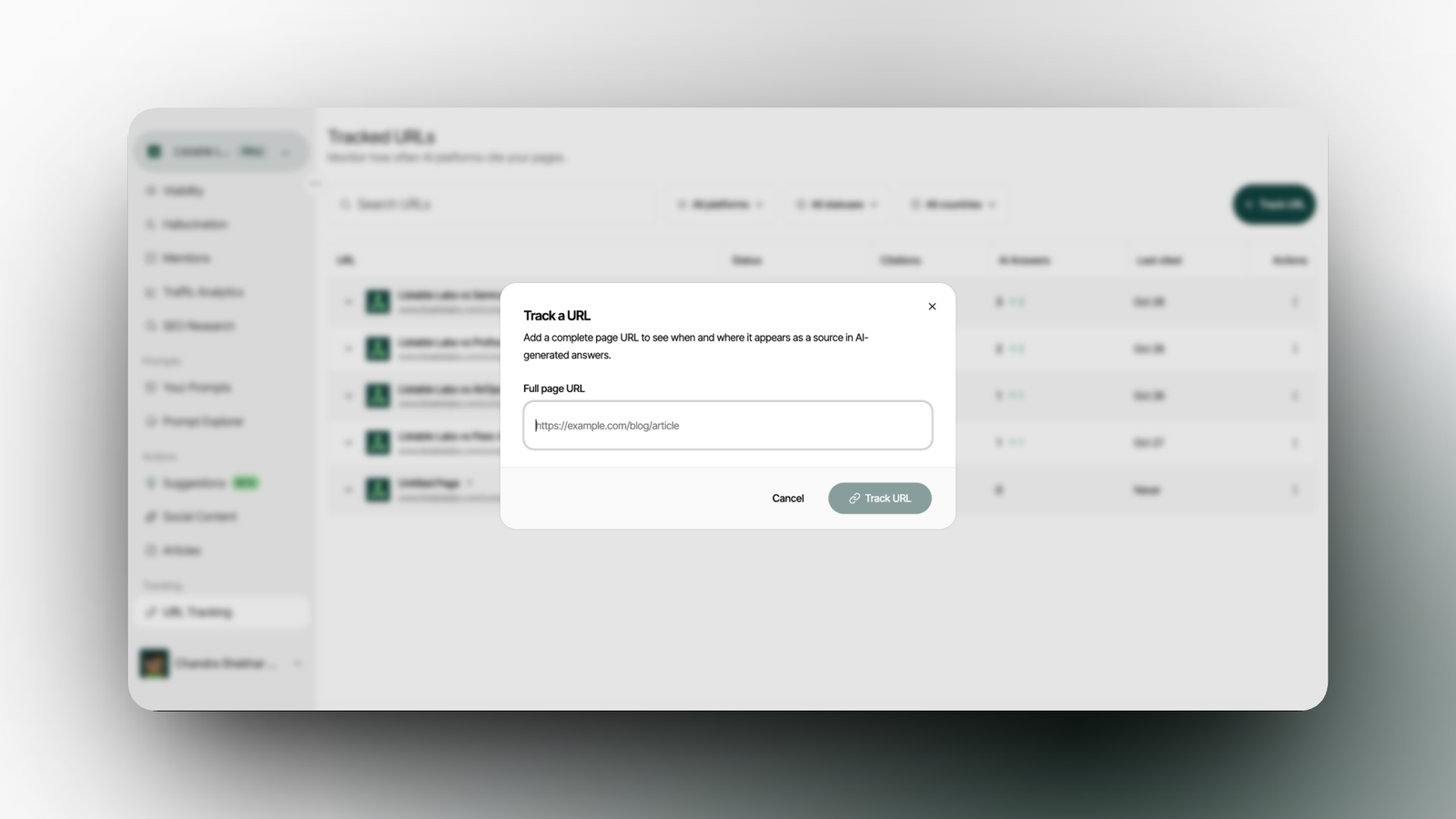
> Track a URL in Listable Labs: paste any full page URL and click Track URL to start following it in AI answers.
How this changes your work
Before: you publish a page or land a spot on someone's listicle, then check ChatGPT and Perplexity by hand to see if it ever shows up as a source.
After: the page is tracked for you. You see the moment it gets cited, which prompts pull it in, and which platforms rely on it.
What you see for every tracked URL
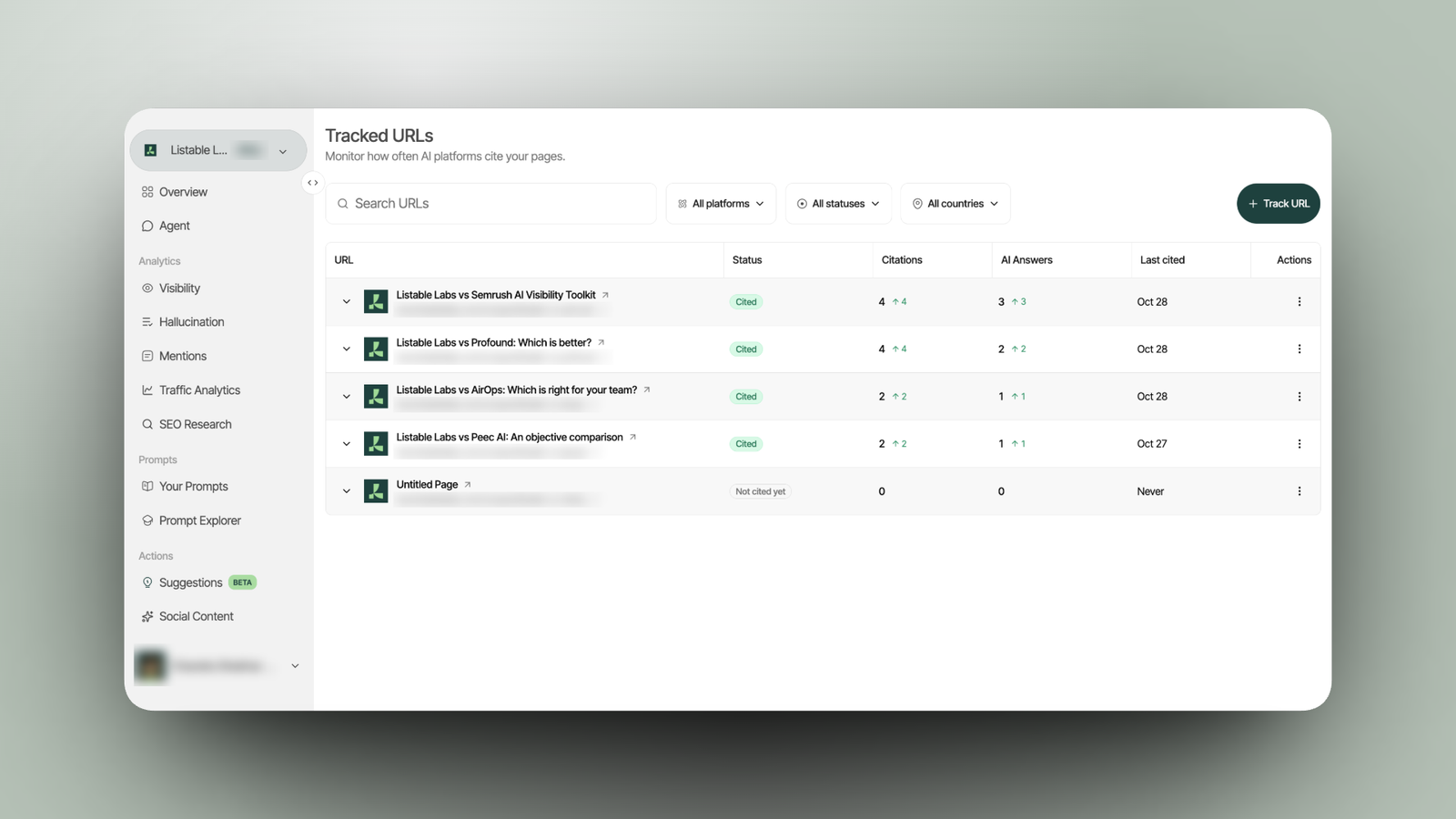
> Tracked URLs in Listable Labs: every page’s status, citations, AI answers and last cited date, with filters by platform, status and country.
| Column | What it tells you |
| Status | Whether AI is citing the page (Cited / Not cited yet) |
| Citations | How many times AI cited the page, with the change since it was added |
| AI Answers | How many separate AI answers included the page |
| Last cited | The most recent date AI used the page |
You can search your tracked URLs and filter by platform, status and country.
Open any URL to see the full breakdown:
- Prompts citing this URL: every prompt that pulled the page in, the platforms involved, citations and answers per prompt, and a link to view the actual AI responses.
- Platform performance: citations and answers per AI platform, so you know which engines trust the page.
- Geography: citations by country.
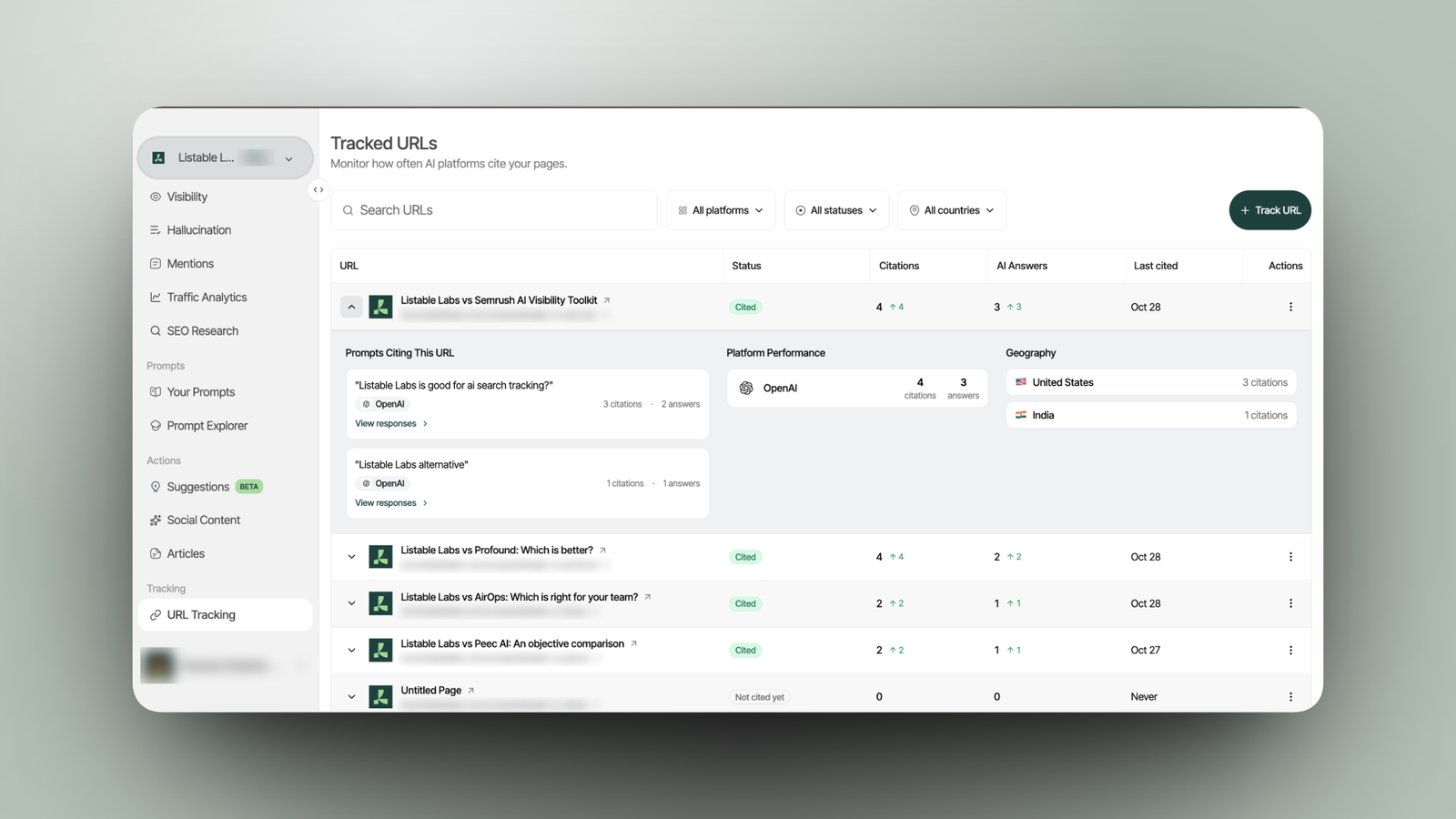
> URL breakdown in Listable Labs: the prompts citing the page, citations and answers per AI platform, and citations by country.
One example from our own tracking: a single "best AEO tools in India" listicle was cited 438 times across 377 AI answers and 12 prompts, with 421 of those citations coming from ChatGPT. That's the kind of page you want to know about.
What can you do with URL Tracking?
Here are workflows you can run today.
Know when a new page starts working
Published a comparison page or a guide? Add its URL on launch day. The first citation shows up in the table with a date, along with the prompt and platform that picked it up. No more checking by hand every week.
Prove the value of PR and listicle placements
Got featured in a "best tools" roundup? Track that URL. If AI cites it hundreds of times, you can show exactly what that placement is worth, prompt by prompt.
Watch your competitors' best pages
Track a competitor's comparison page or guide. See which prompts it wins, which platforms rely on it, and whether its citations are growing. Then build something better for the same prompts.
See why a page wins, not just that it wins
Open a URL and click View responses on any prompt. Read the actual AI answers that cite the page and see how AI uses it.
Find out which engine trusts which page
One page can be a favourite on ChatGPT and invisible on Perplexity. Platform performance shows the split, so you know where to focus.
Report on content for clients
Agencies can track every page they publish or place for a client and show citations, AI answers and last-cited dates in the next report.
Availability
URL Tracking is available on every Listable Labs plan today, at no extra cost.
How to track a URL in 3 steps
- Open URL Tracking in your Listable Labs project and click Track URL.
- Paste the full page URL, for example `https://example.com/blog/article`.
- Click Track URL.
That's it. The page is tracked automatically from now on.
Frequently Asked Questions
What is URL tracking in AI search?
URL tracking follows a specific web page across AI-generated answers to show whether, how often and where AI engines like ChatGPT, Perplexity, Gemini and Google AI Mode cite it as a source.
Can I track pages I don't own?
Yes. You can track any public page URL, including competitor pages and third-party listicles that mention you.
Which AI platforms are covered?
ChatGPT, Perplexity, Gemini, Google AI Mode and more.
Does URL Tracking cost extra?
No. It's included on every Listable Labs plan.
How is URL Tracking different from brand visibility tracking?
Visibility tracking tells you if your brand shows up in AI answers. URL Tracking tells you which exact page AI used, for which prompts, on which platforms.
Does URL Tracking monitor every AI answer?
No. It tracks the page across the AI answers to the prompts in your Listable Labs project. Add more prompts to see the page in more answers.